Mobile App
Take SiteWhiz to the construction site.
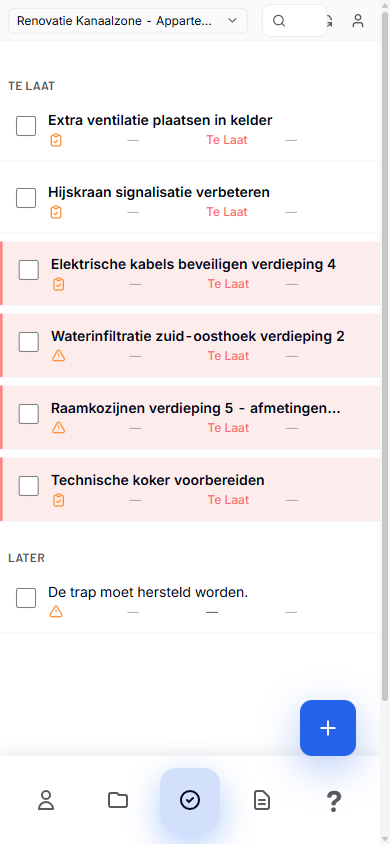
Overview
The SiteWhiz mobile app is designed for field use:
- Voice Capture - Create items by speaking
- Photo Evidence - Snap photos and attach to items
- Offline Mode - Work without internet connection
- Plan Viewer - View drawings and mark locations
In This Section
| Guide | Description |
|---|---|
| Installation | Install the mobile app |
| Voice Capture | Create items with your voice |
| Photo Capture | Taking and attaching photos |
| Sessions | Recording capture sessions |
| Offline Mode | Working without internet |
Supported Devices
| Platform | Minimum Version |
|---|---|
| iOS | 14.0 or later |
| Android | 10.0 or later |
Key Features
Speak naturally to create items:
- Tap the microphone button
- Describe the item
- AI extracts title, type, and details
- Review and save
Attach photos to any item:
- Open or create an item
- Tap "Add Photo"
- Take photo or choose from gallery
- Photo is uploaded and attached
Pin items to plan drawings:
- Open the plan viewer
- Tap a location on the drawing
- Create or link an item
- Location is saved with the item
Quick Actions
Common Tasks
- New Session: Tap "+" to start capture session
- Quick Item: Long-press microphone for voice capture
- View Plans: Tap "Plans" tab in project
- Sync: Pull down to refresh and sync